

Round-trip search is now available for flights departing on or after Tuesday, May 19, 2026.
* For itineraries of two or more segments that span Monday, May 18, 2026 and Tuesday, May 19, 2026, please make separate one-way reservations.
For passengers boarding on or before May 18, 2026, procedures can be completed through the Reservation and Service Center.
Online Check-in is available from 24 hours up to 20 minutes prior to your flight departure.
Please have your Reservation Number or e-Ticket number ready.
Online Check-InTraveling with an unaccompanied child
If a child is traveling alone, they must meet the applicable travel requirements.
Important Notes When Searching for Reservations Including Passengers with a Disability Certificate
IBEX Airlines offers a disability discount
for one passenger holding a disability certificate and up to one accompanying assistant.
When a reservation includes a passenger with a disability certificate, bookings can be made for up to two passengers in total.
For groups of three or more passengers, please make separate reservations.
<例>
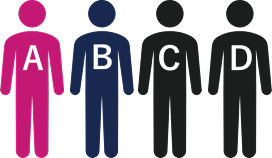
Traveling as a party of four
A: Passenger with a disability
B: Accompanying assistant

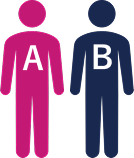
Reservation for two passengers (A and B)
※Disability discount applied

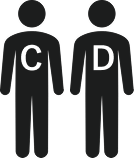
Reservation for two passengers (C and D)
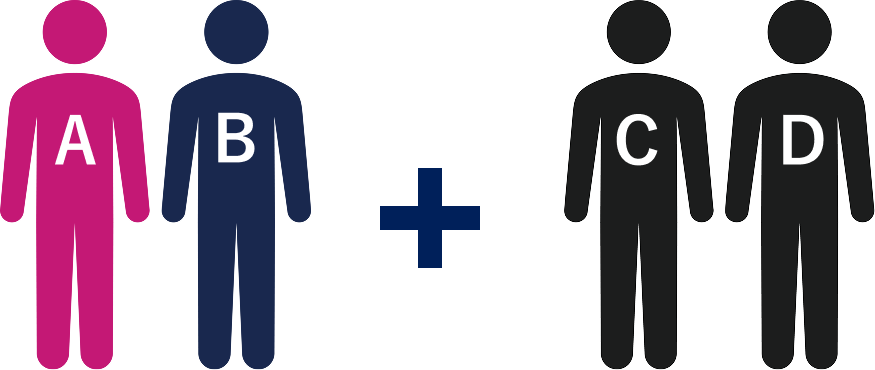
Reservation for two passengers (A and B)
※Disability discount applied
Reservation for two passengers (C and D)
Convenience Store Payment is a payment method that allows you to pay at designated convenience stores in Japan.
Convenience Store Payment can only be made in Japanese yen (cash).
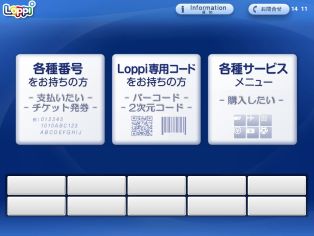
Select [各種サービスメニュー] (Service Menu) on the right side of the main screen of Loppi terminal.
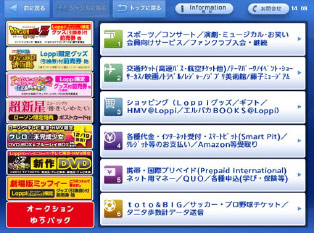
Select[各種代金・インターネット受付・スマートピット(Smart Pit)/クレジット等のお支払い/Amazon等受取り] (Miscellaneous Payments / Online Reception / Smart Pit / Credit Card Payment / Amazon, etc. Transactions) from the middle row of the menu screen.
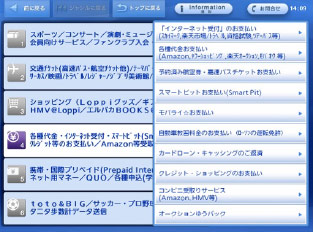
Select [各種代金お支払い] (Miscellaneous Payments) from the upper-right portion of the screen.
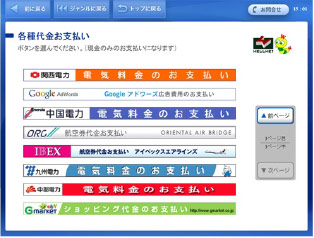
Select[航空券代金お支払い アイベックスエアラインズ] (Airline Ticket Payment/Cash Ticketless Service/IBEX Airlines).
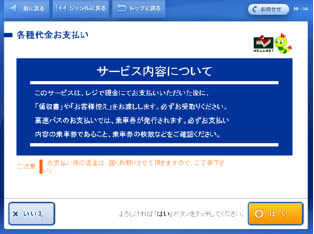
Service details will be displayed on the confirmation screen. Confirm the details and tap [はい] (Yes) if they are acceptable.
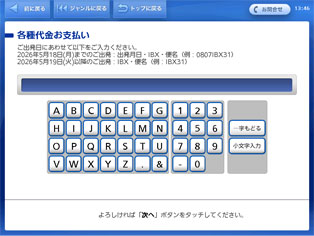
Enter the required information and proceed to the next screen.Enter the operating airline (FW) and flight number (2 digits).
After entering the required information, select [次へ](Next).
Example: If your flight is IBEX Airlines, Flight 50, enter 'IBX50'. *Departure date not required.
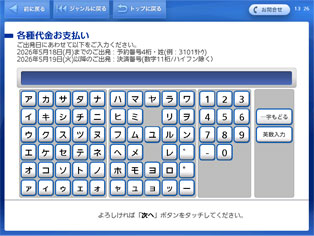
Enter the required information and proceed to the next screen. Enter the payment number (11 digits) you received upon reservation. After entering the required information, select[次へ](Next).
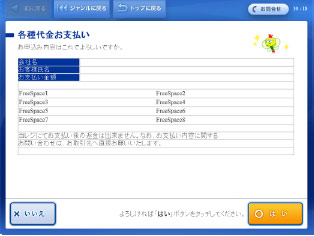
Check the contents displayed on the screen, and press [はい] (Yes).
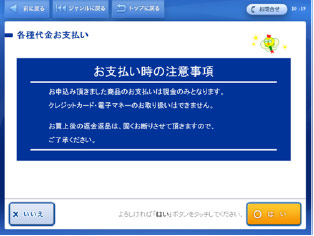
Important items of note regarding payment will be displayed on the confirmation screen. Confirm the details and press [はい](Yes) if they are acceptable.
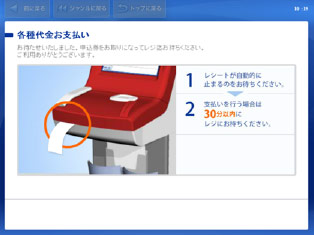
Take the application ticket printed by the terminal to the register within 30 minutes, and pay with cash. After paying, you will receive a Transaction Statement/Receipt.