

Round-trip search is now available for flights departing on or after Tuesday, May 19, 2026.
* For itineraries of two or more segments that span Monday, May 18, 2026 and Tuesday, May 19, 2026, please make separate one-way reservations.
For passengers boarding on or before May 18, 2026, procedures can be completed through the Reservation and Service Center.
Online Check-in is available from 24 hours up to 20 minutes prior to your flight departure.
Please have your Reservation Number or e-Ticket number ready.
Online Check-InTraveling with an unaccompanied child
If a child is traveling alone, they must meet the applicable travel requirements.
Important Notes When Searching for Reservations Including Passengers with a Disability Certificate
IBEX Airlines offers a disability discount
for one passenger holding a disability certificate and up to one accompanying assistant.
When a reservation includes a passenger with a disability certificate, bookings can be made for up to two passengers in total.
For groups of three or more passengers, please make separate reservations.
<例>

Traveling as a party of four
A: Passenger with a disability
B: Accompanying assistant


Reservation for two passengers (A and B)
※Disability discount applied


Reservation for two passengers (C and D)
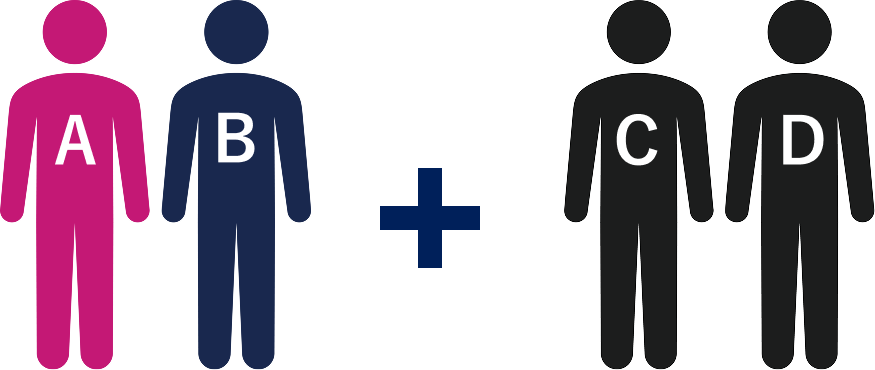
Reservation for two passengers (A and B)
※Disability discount applied
Reservation for two passengers (C and D)
Receipts can be issued through the following methods.
The Online Receipt Issuing Service allows you to view receipts that meet the requirements of Japan's Invoice System.
Our Qualified Invoice Issuer Registration Number is "T5010601030068".
| Issuance Period | Required Information | Available Receipt Types | |
|---|---|---|---|
| From [Reservation Confirmation] | Issuance PeriodUntil 4 days after the boarding date of the final flight segment | Required Information・e-Ticket Number ・Passenger Name |
Available Receipt Types |
| From [Receipt] | Issuance PeriodWithin 2 years of the purchase date and within 90 days after the boarding date of the final flight segment | Required Information・Reservation Number ・Passenger Name |
Available Receipt Types・Receipt for Each Passenger ・Receipt for the Total Reservation Amount |
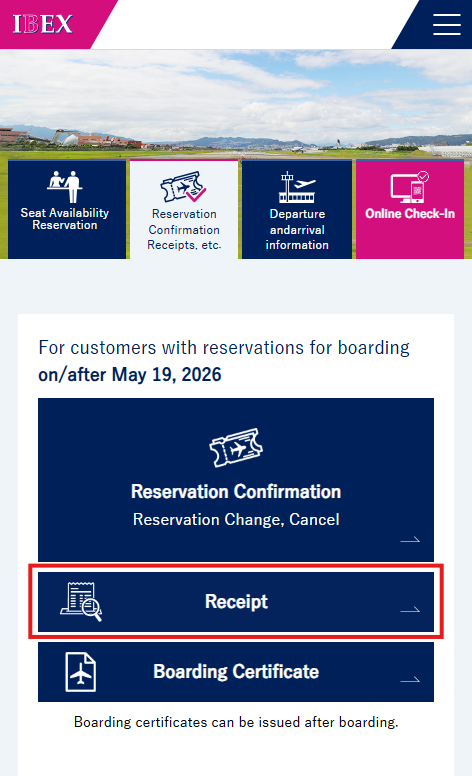
From IBEX website TOP, select [Reservation Confirmation Receipts, etc.], then click the [Receipt] button.
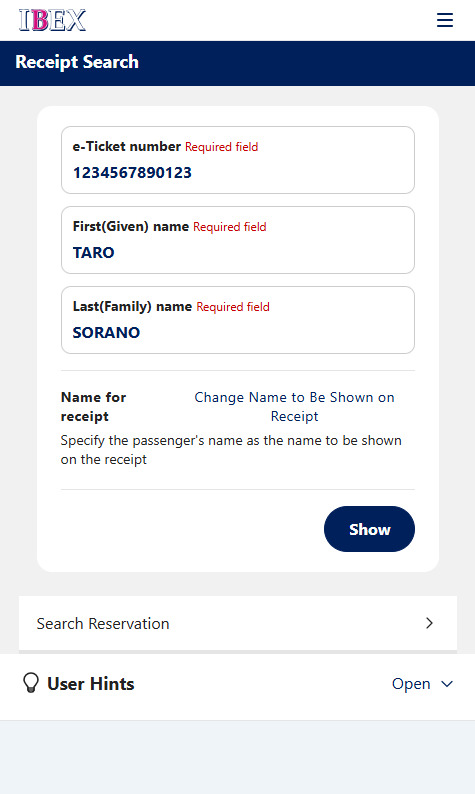
On the Receipt Search page, enter the 13-digit e-Ticket number, first name, and last name (in Roman letters), then click [Show].
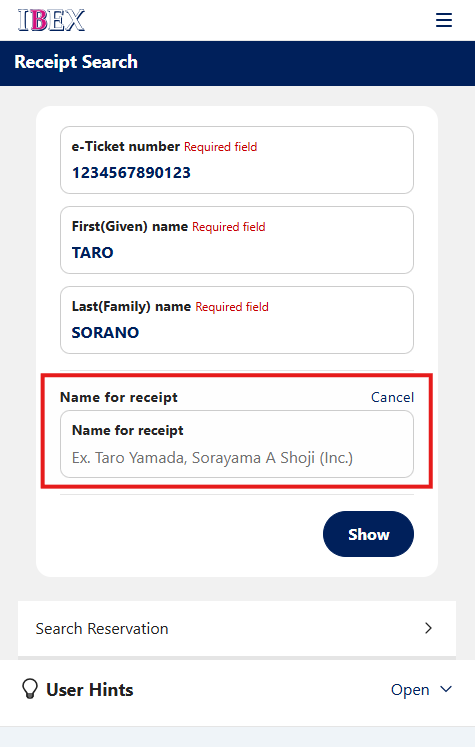
If you would like to change the name on the receipt, click [Change Name to Be Shown on Receipt] and enter the desired name in the fields displayed.
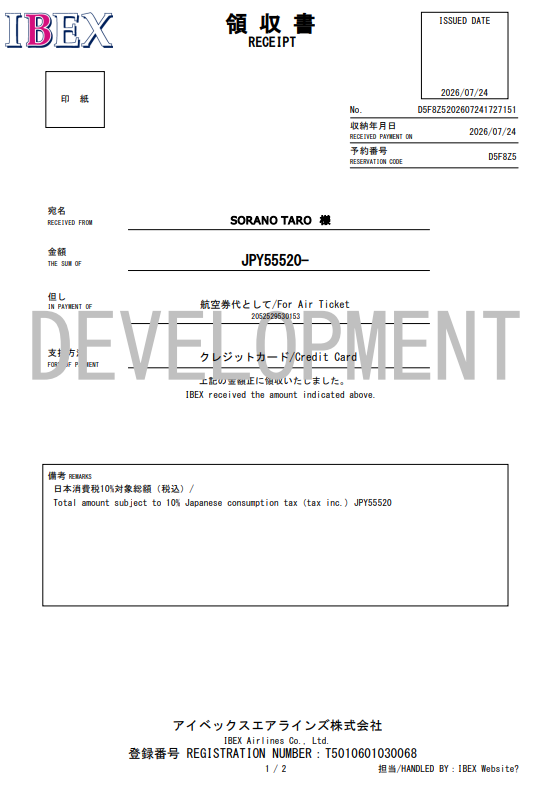
Your receipt will be displayed. Please print the receipt as needed.
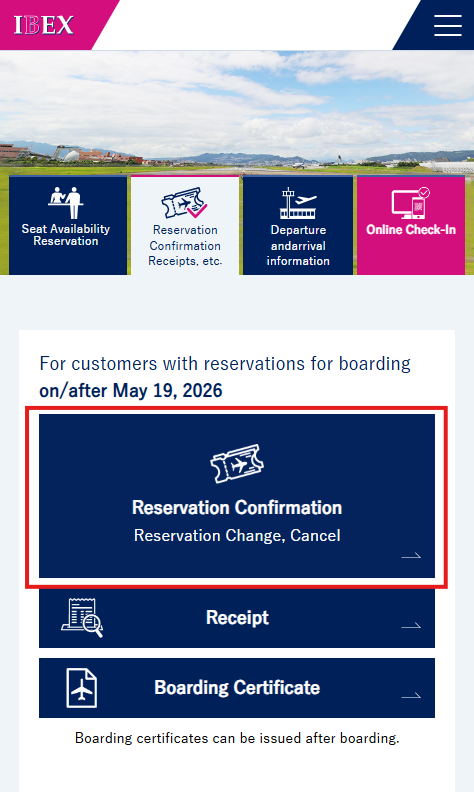
From the IBEX website TOP, select [Reservation Confirmation Receipts, etc.], then click the [Reservation Confirmation] button.
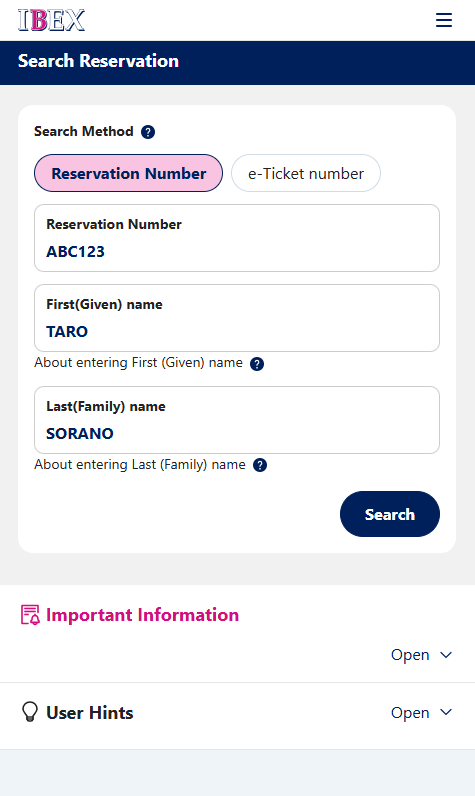
On the Reservation Search page, enter the 6-character reservation number (alphanumeric), first name, and last name (in Roman letters), then click [Search].
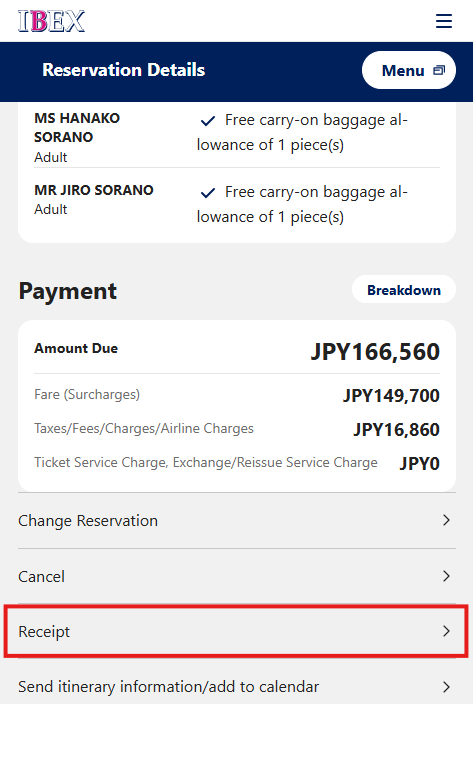
Click the [Receipt] button on screen.
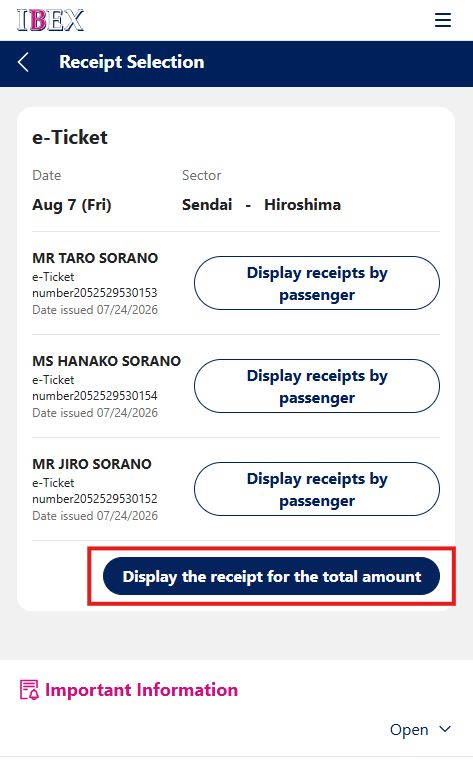
Click the [Display the receipt for total amount] button.
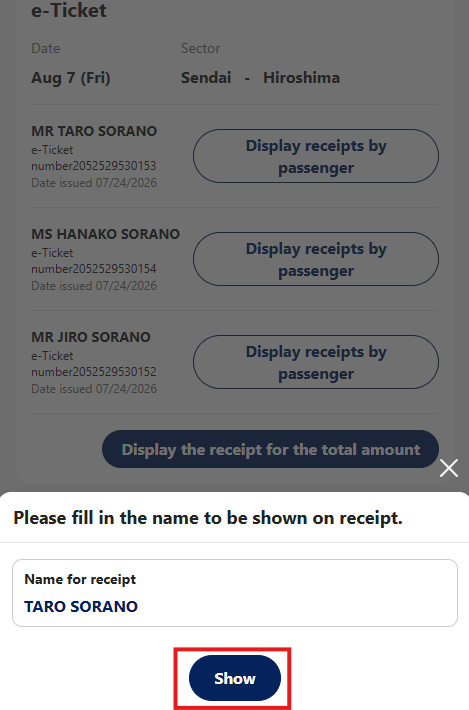
To change the name on the receipt, enter the desired name and click [Show].
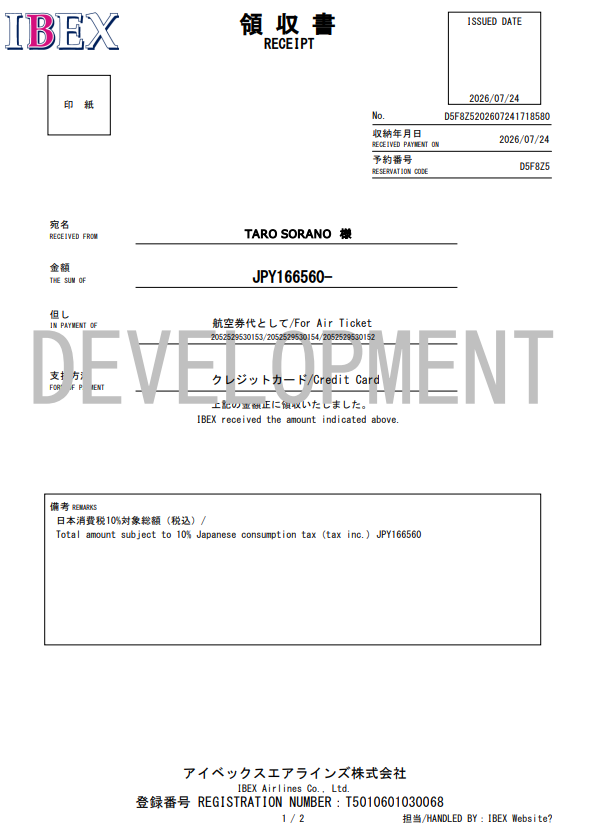
Your receipt will be displayed. Please print the receipt as needed.