
Round-trip search is now available for flights departing on or after Tuesday, May 19, 2026.
* For itineraries of two or more segments that span Monday, May 18, 2026 and Tuesday, May 19, 2026, please make separate one-way reservations.
For customers with reservations for boarding until May 18, 2026
For customers with reservations for boarding on/after May 19, 2026
The search system varies depending on your departure date.
For itineraries of two or more segments that span Monday, May 18, 2026 and Tuesday, May 19, 2026, please check each segment as a separate one-way reservation.
Online Check-in is available from 24 hours up to 20 minutes prior to your flight departure.
Please have your Reservation Number or e-Ticket number ready.
Online Check-InTraveling with an unaccompanied child
If a child is traveling alone, they must meet the applicable travel requirements.
Important Notes When Searching for Reservations Including Passengers with a Disability Certificate
IBEX Airlines offers a disability discount
for one passenger holding a disability certificate and up to one accompanying assistant.
When a reservation includes a passenger with a disability certificate, bookings can be made for up to two passengers in total.
For groups of three or more passengers, please make separate reservations.
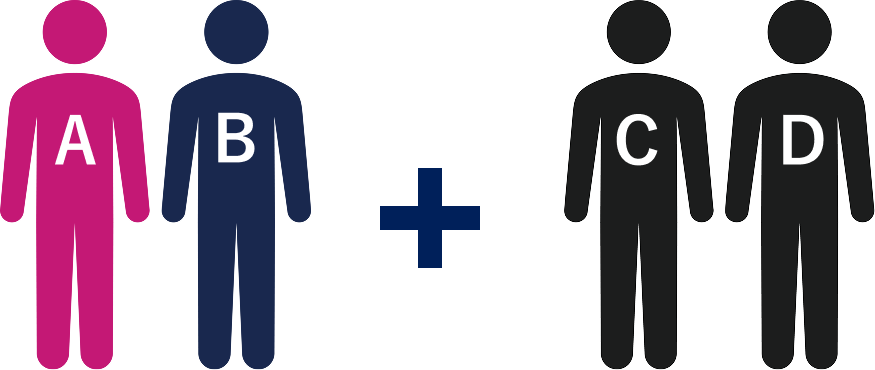
<例>
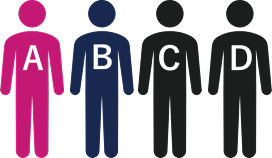
Traveling as a party of four
A: Passenger with a disability
B: Accompanying assistant

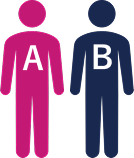
Reservation for two passengers (A and B)
※Disability discount applied

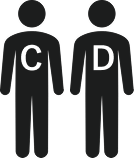
Reservation for two passengers (C and D)
Reservation for two passengers (A and B)
※Disability discount applied
Reservation for two passengers (C and D)
The information on this page applies to passengers boarding until May 18, 2026.
Please note that the applicable conditions and terms, etc. vary depending on the boarding date.
Passengers boarding on/after May 19, 2026 are requested to refer to the page above titled [Boarding on/after May 19, 2026].
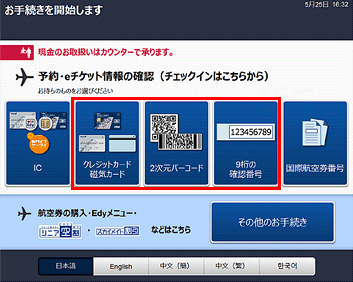
Search for your reservation.
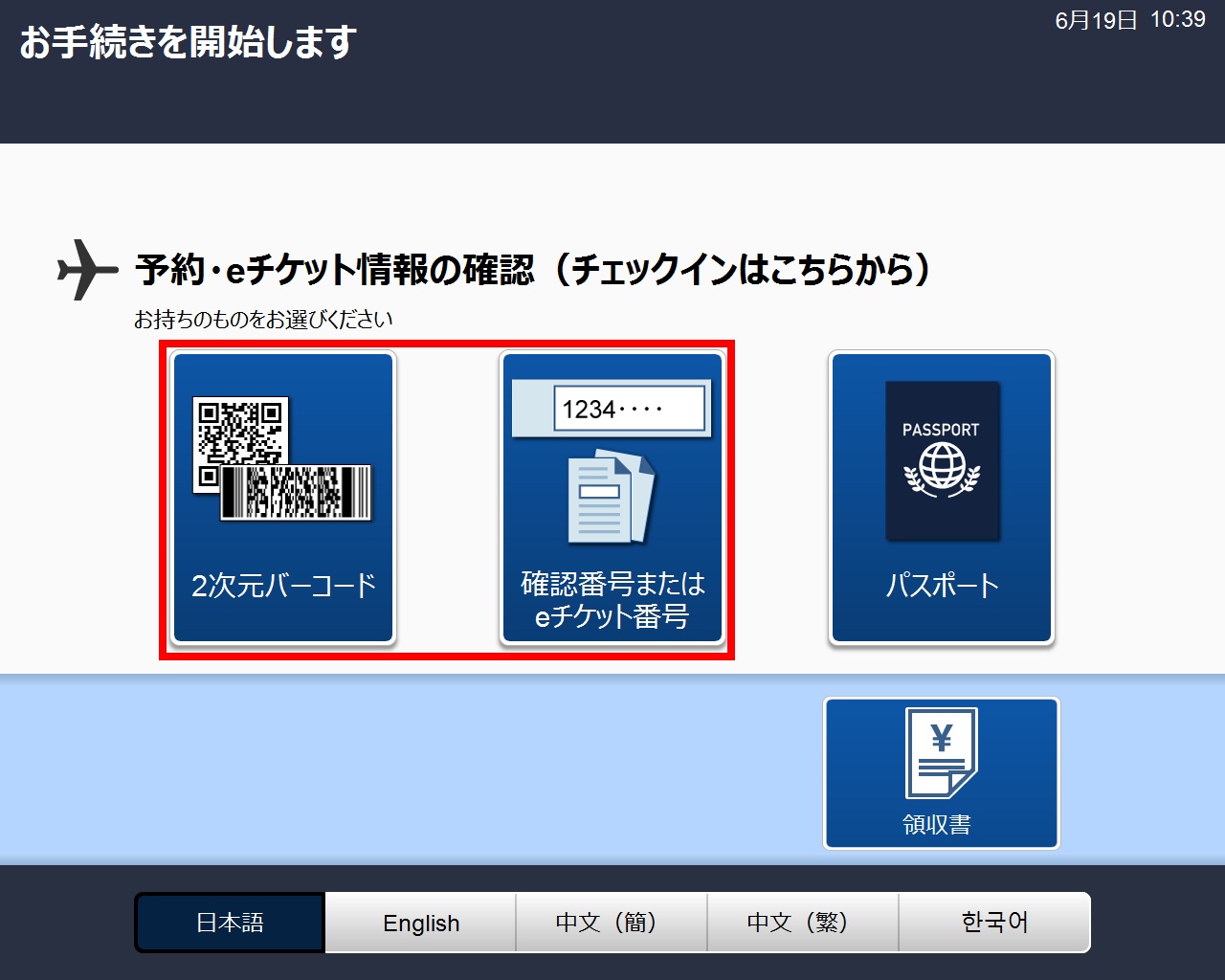
*Depending on the type of Self-service Check-in Machine, the screen may appear as shown on the left.
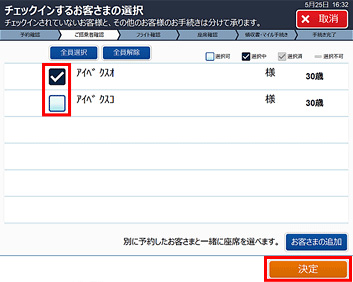
Chose the person(s) for whom you are carrying out procedures.
Choose the relevant person(s) and press Confirm.
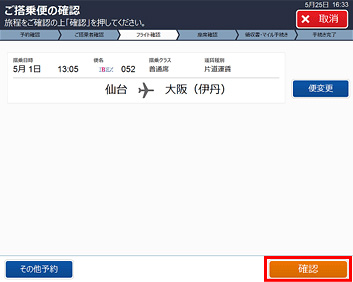
Check the flight.
Check the itinerary and press Confirm.
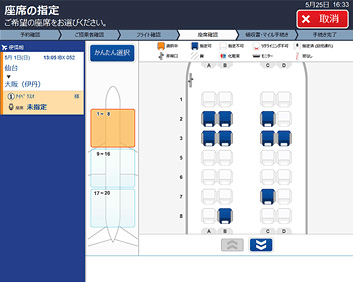
Choose a seat.
Press Basic Select to choose by seat characteristics.
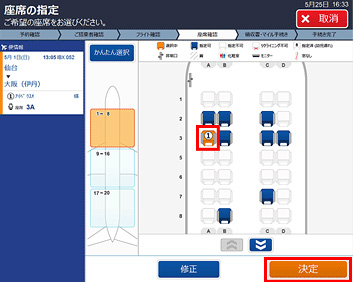
Choose your desired seat and then press Confirm.
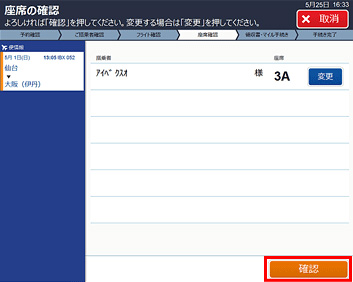
Confirm your seat choice.
If everything is correct, press Confirm.
If you wish to make any changes, press Change.
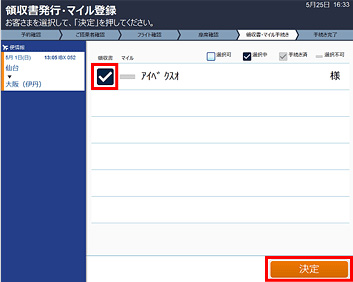
You can issue a receipt.
(Applies only to those who have made a credit card payment via the website or Reservation and Service Center.)
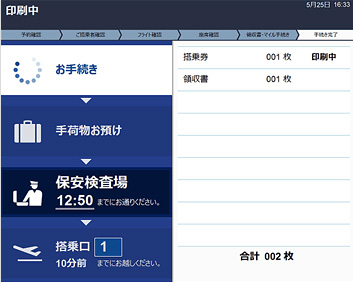
Your boarding pass and receipt will be issued.
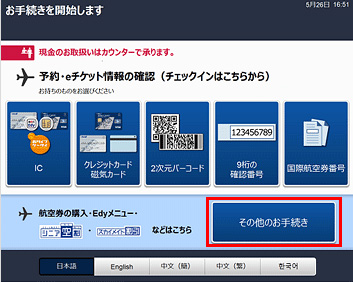
Select “More options”.
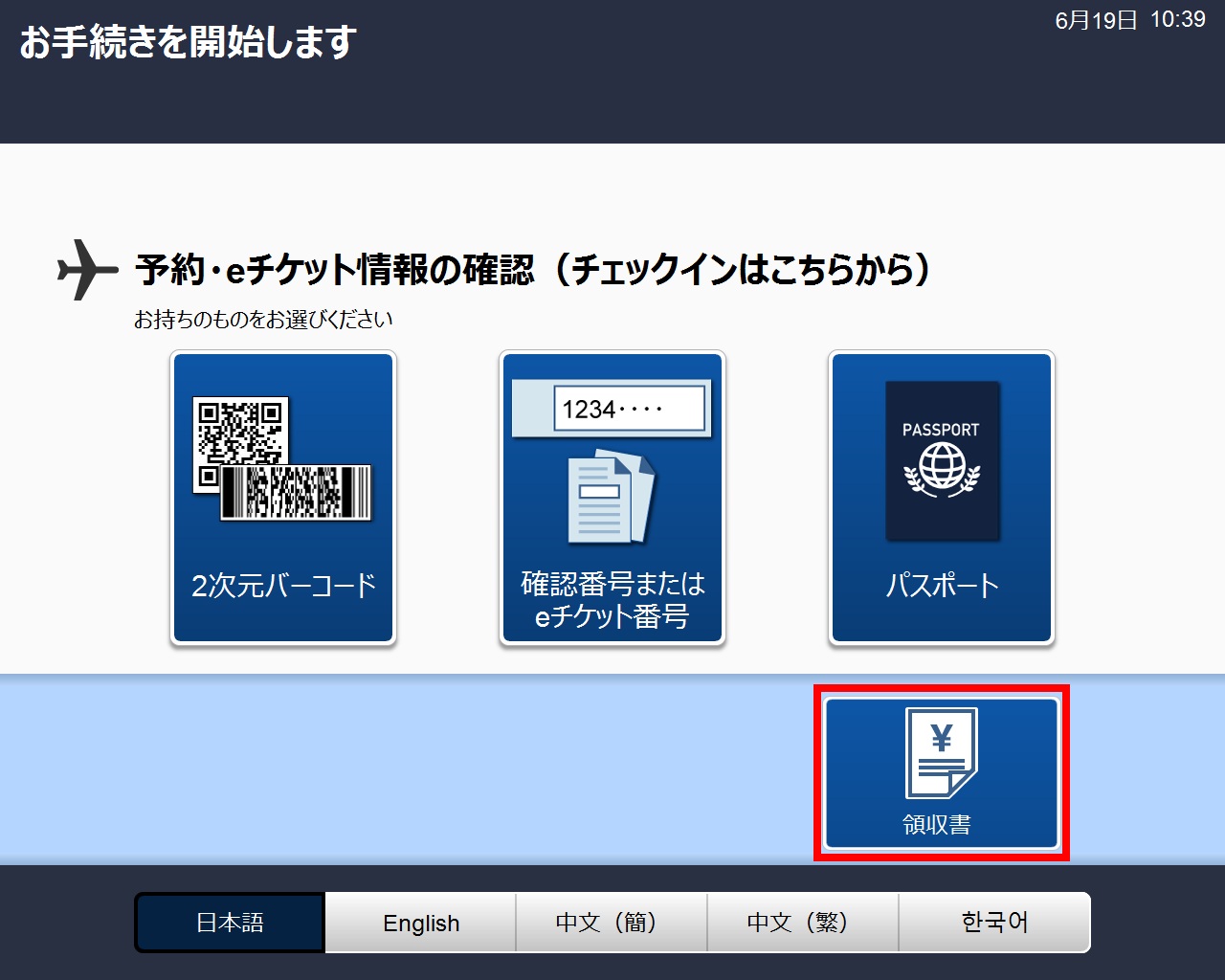
*Depending on the type of Self-service Check-in Machine, the screen may appear as shown on the left. In that case, please proceed to step 3.
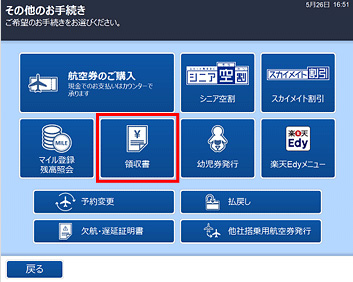
Select Receipt.
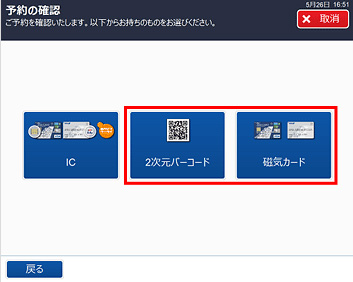
Search for your reservation.
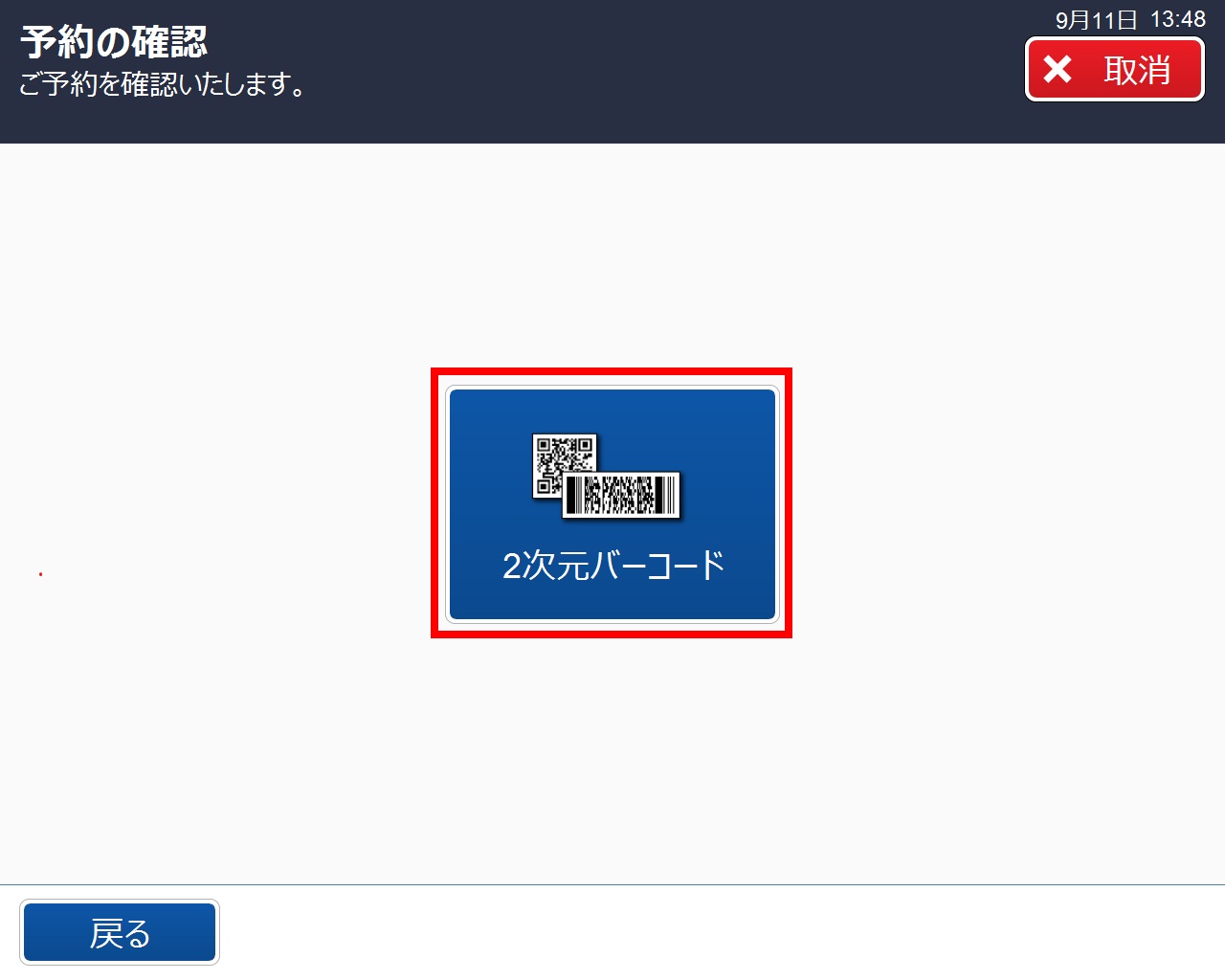
*Depending on the type of Self-service Check-in Machine, the screen may appear as shown on the left.
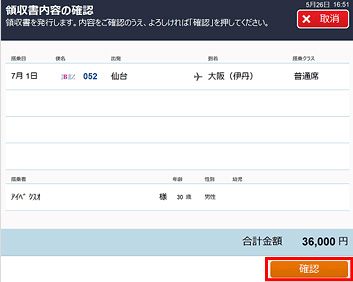
Confirm the receipt content is correct.
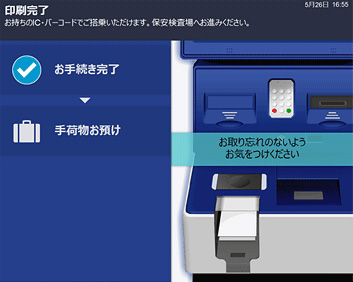
Your receipt will be issued.
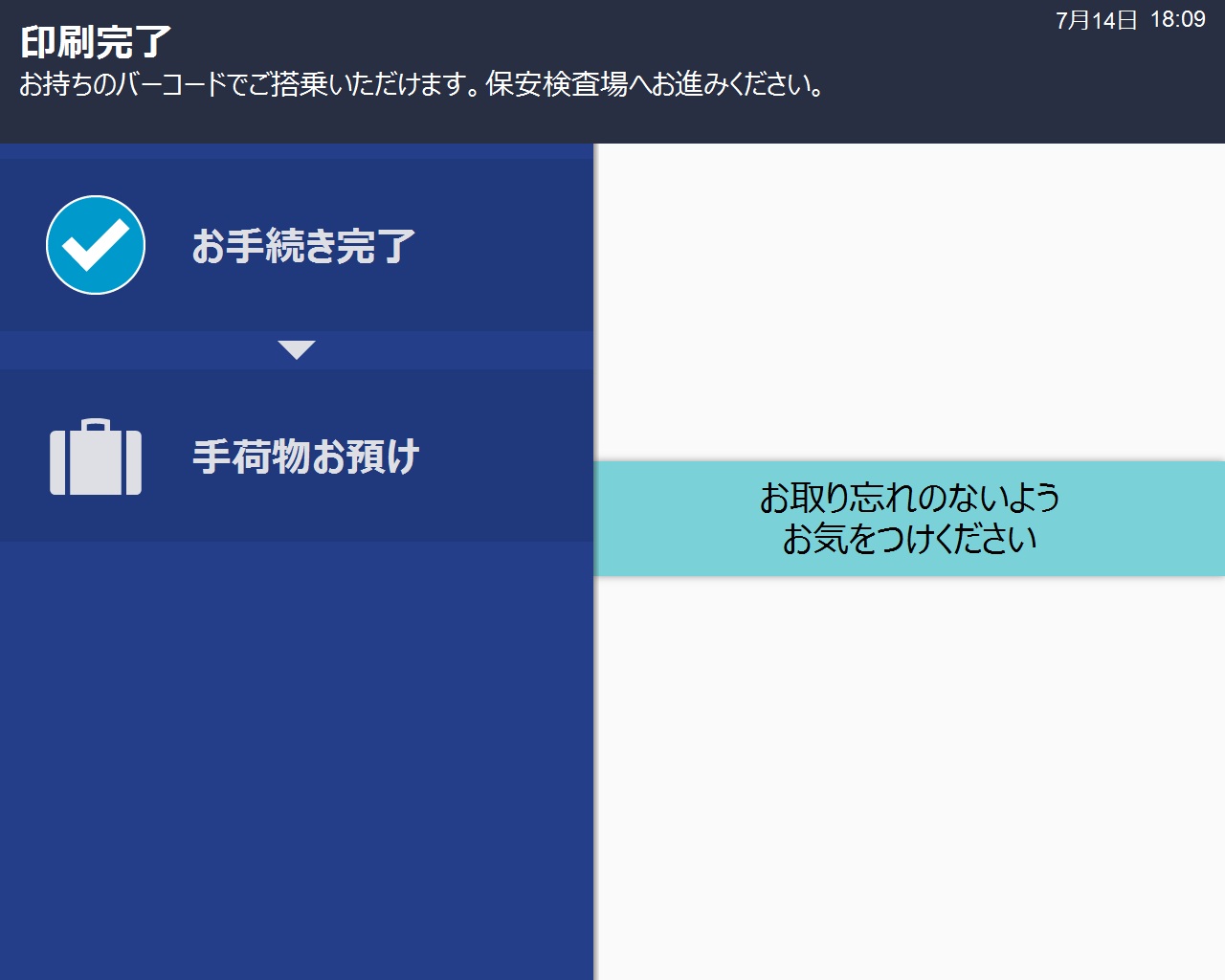
*Depending on the type of Self-service Check-in Machine, the screen may appear as shown on the left.
The information on this page applies to passengers boarding on/after May 19, 2026.
Please note that the operation procedures vary depending on the boarding date.
Passengers boarding on or before May 18, 2026 are requested to refer to the page above titled [For Passengers Boarding on or before May 18, 2026].
Passengers with a separate reservation for a connecting flight are requested to notify a counter staff member after completing check-in.
Please note that the actual operation screens and flight numbers may differ from those shown.
Please note that mileage accrual is not available for tickets purchased via the IBEX website. Thank you for your understanding.
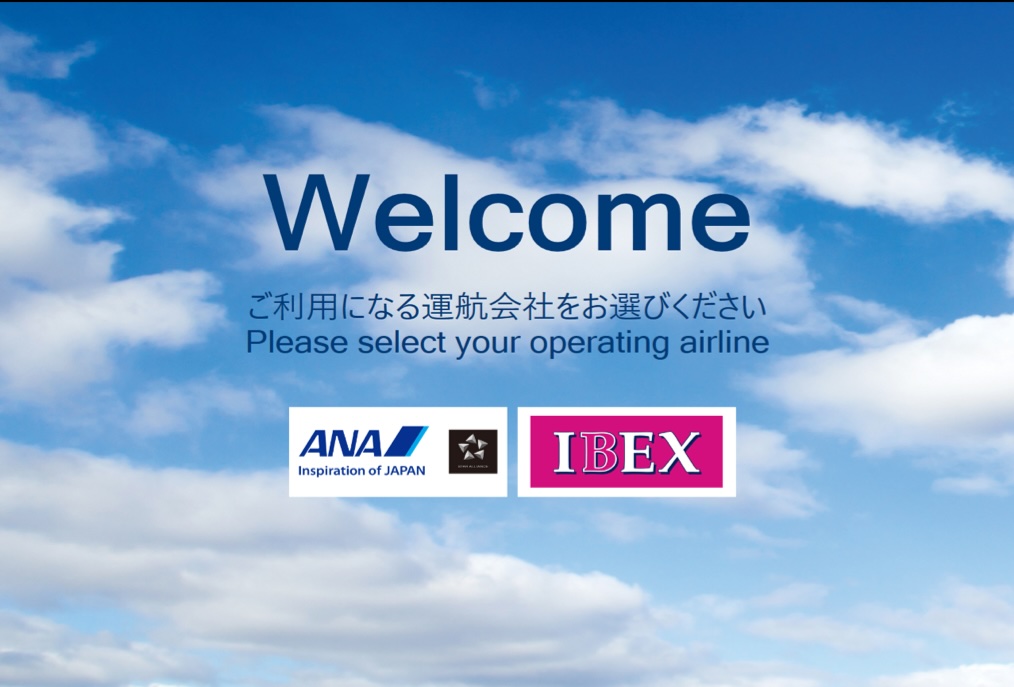
Touch the IBEX logo to begin the process.
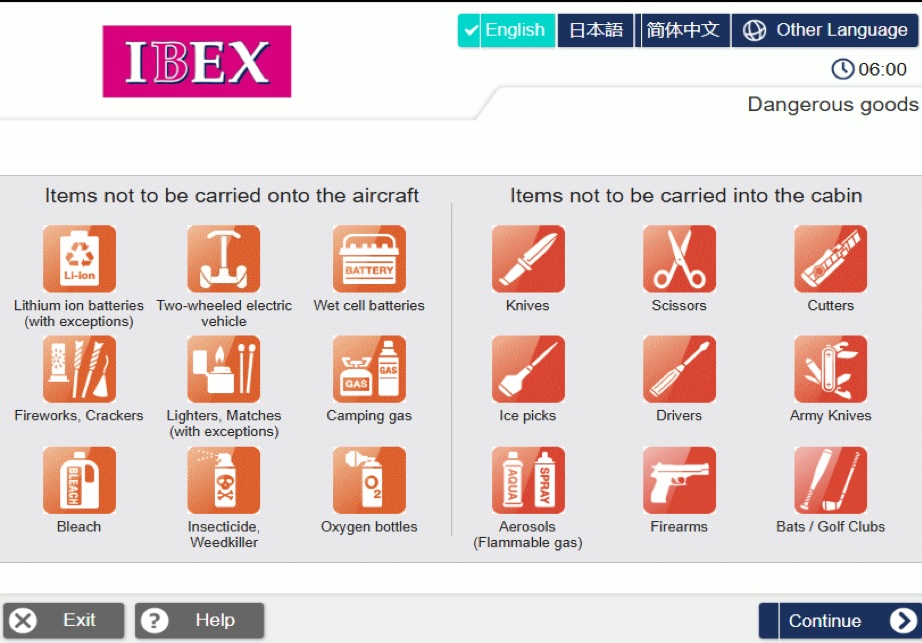
Please review the notices regarding dangerous goods and press [Continue].
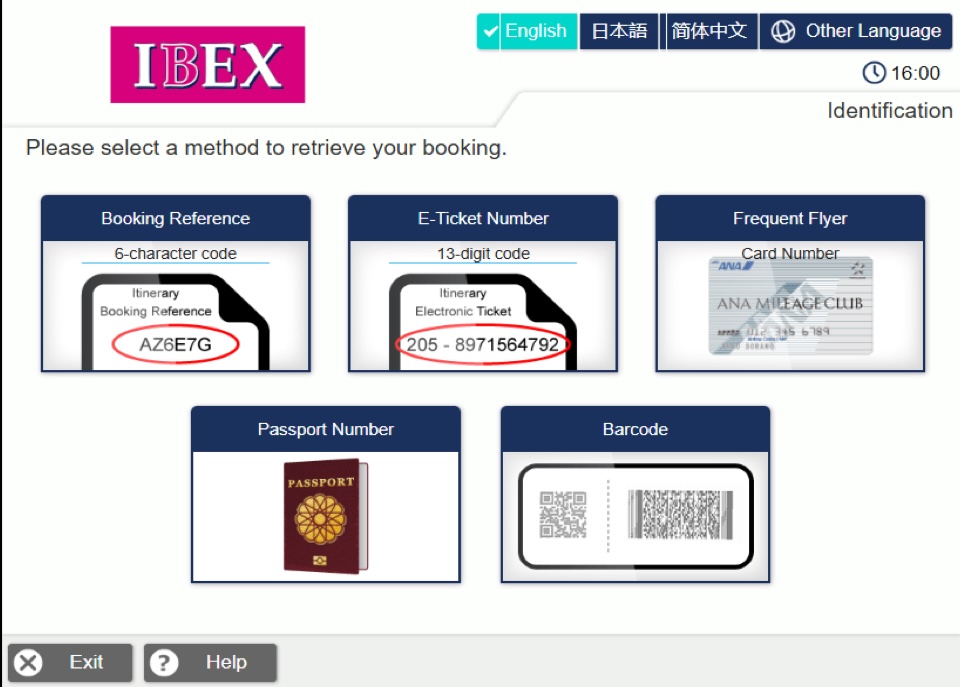
Please select your preferred reservation search method.
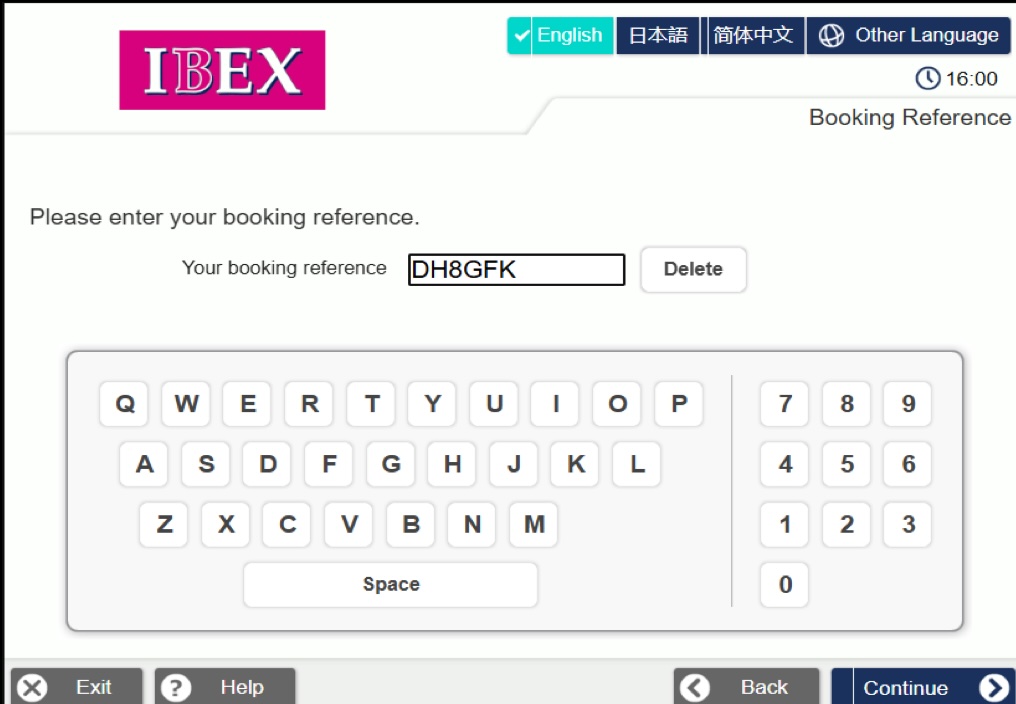
Enter your 6-character alphanumeric reservation number and press [Continue].
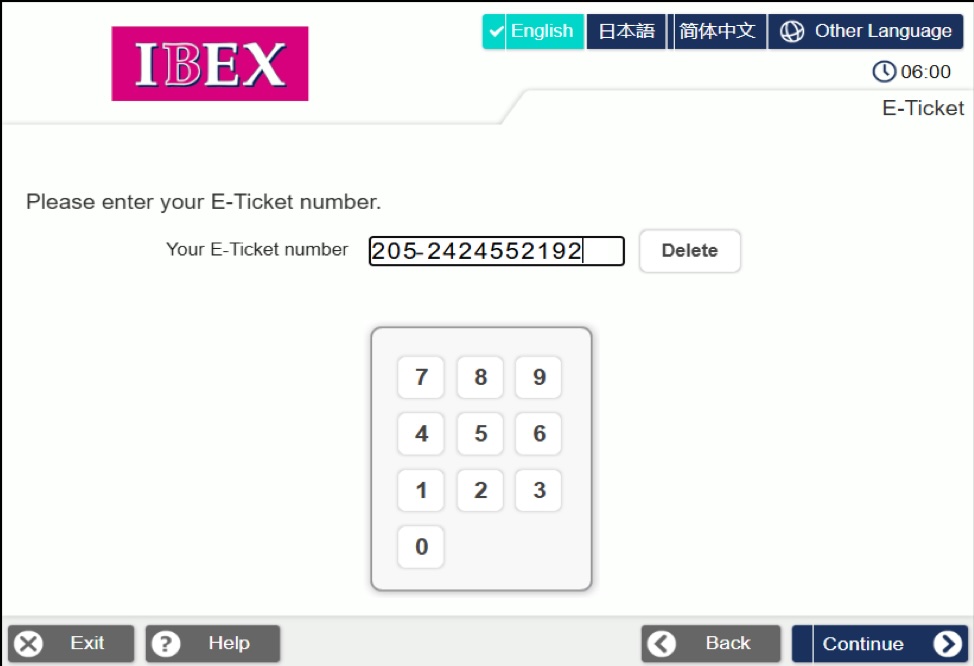
Enter your 13-digit ticket number and press [Continue].
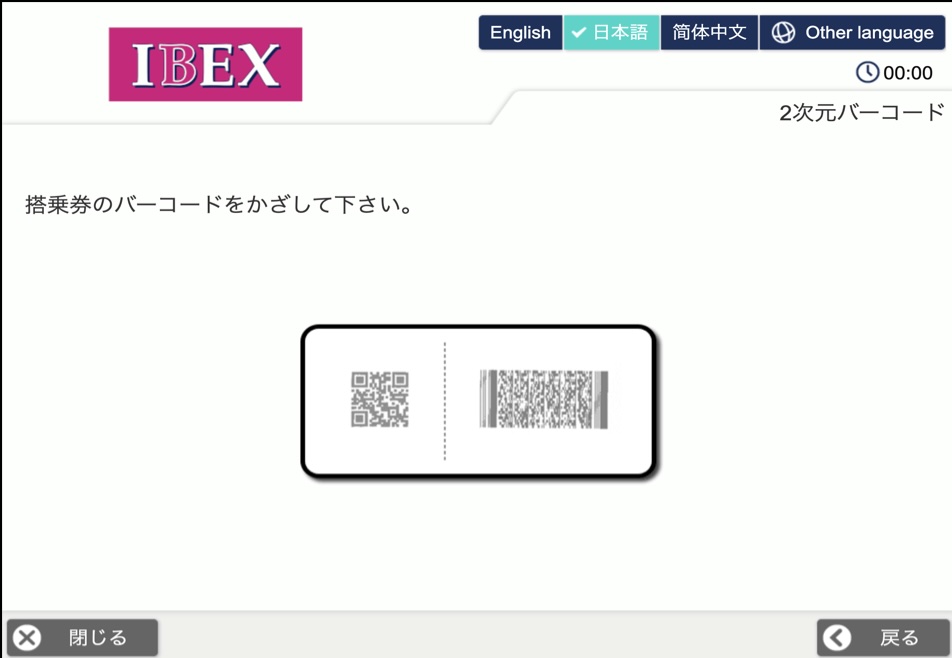
Hold the 2D barcode on your itinerary, such as your e-ticket receipt, over the scanner.
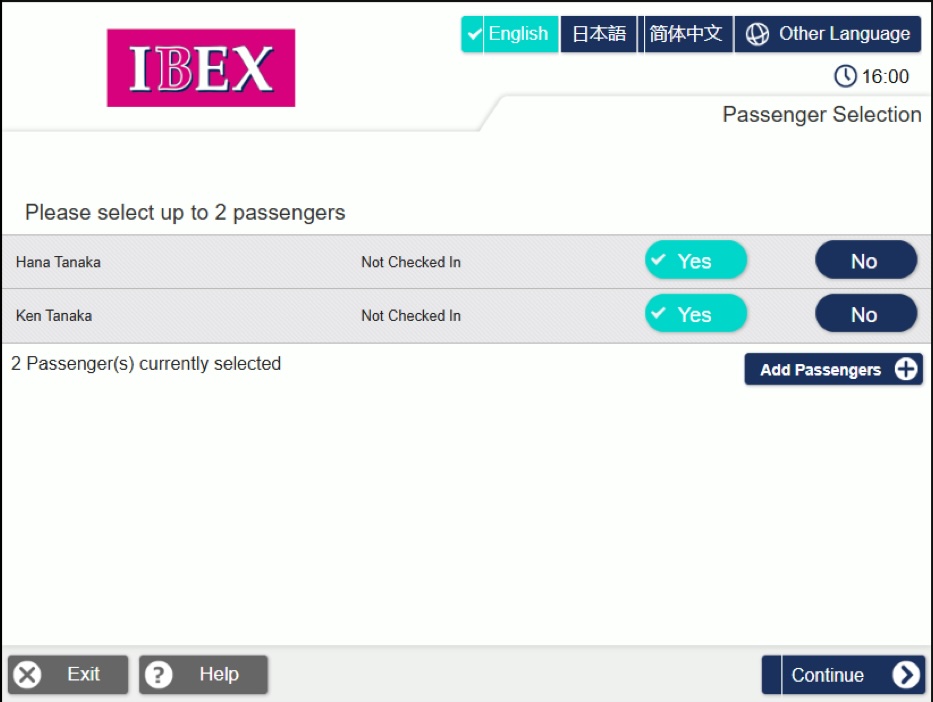
Select the passenger(s) to check in and press [Next].
If you are traveling with a companion under a different reservation, press [Add Passengers] to search for the reservation.
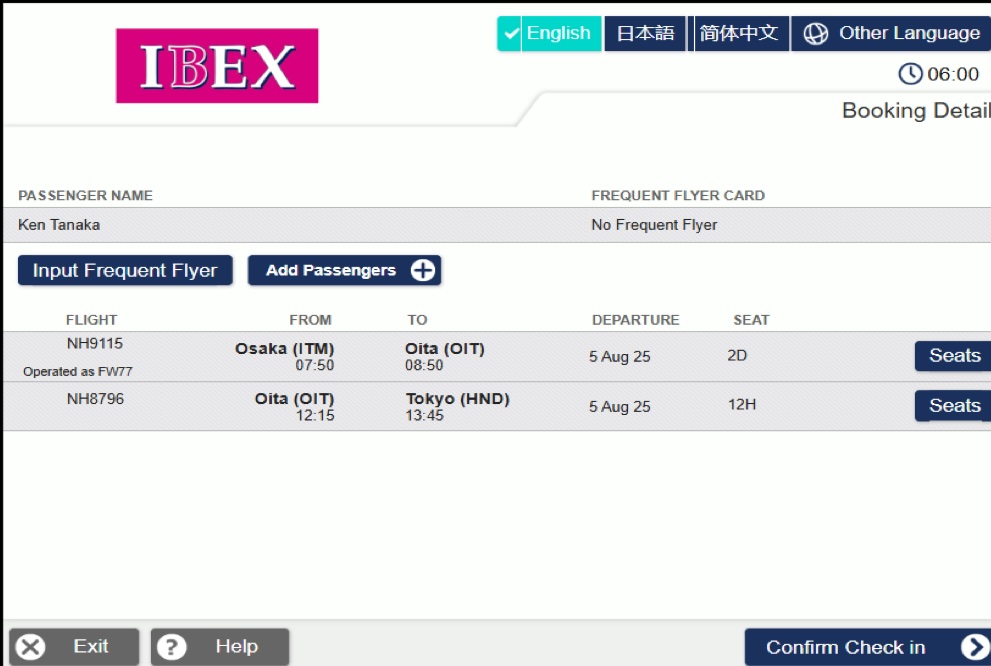
Please review your flight itinerary.
If you would like to select or change your seat, press [Seats].
If no seat changes are required, press [Confirm Check in] to proceed to screen ⑪.
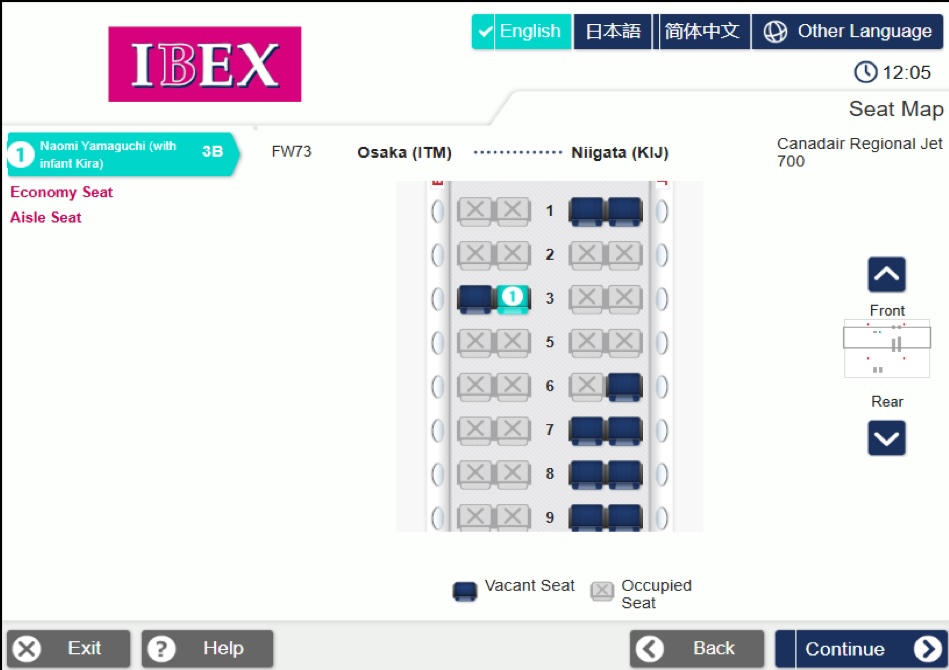
Select your preferred seat from the seats marked “Available” and press [Confirm].
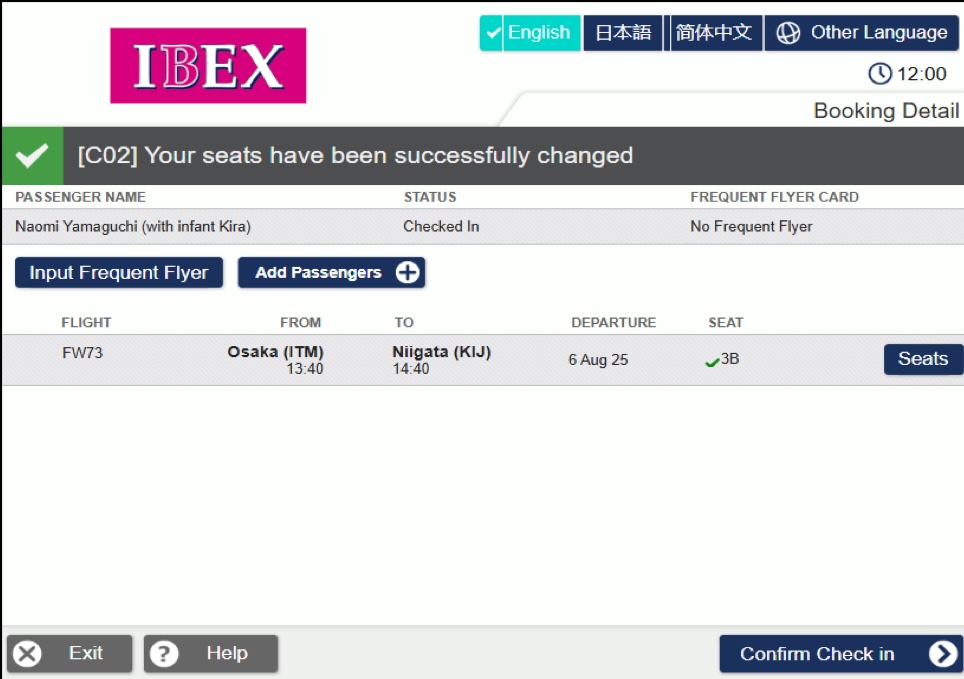
Your updated seat assignment will be displayed. Press [Confirm Check in].
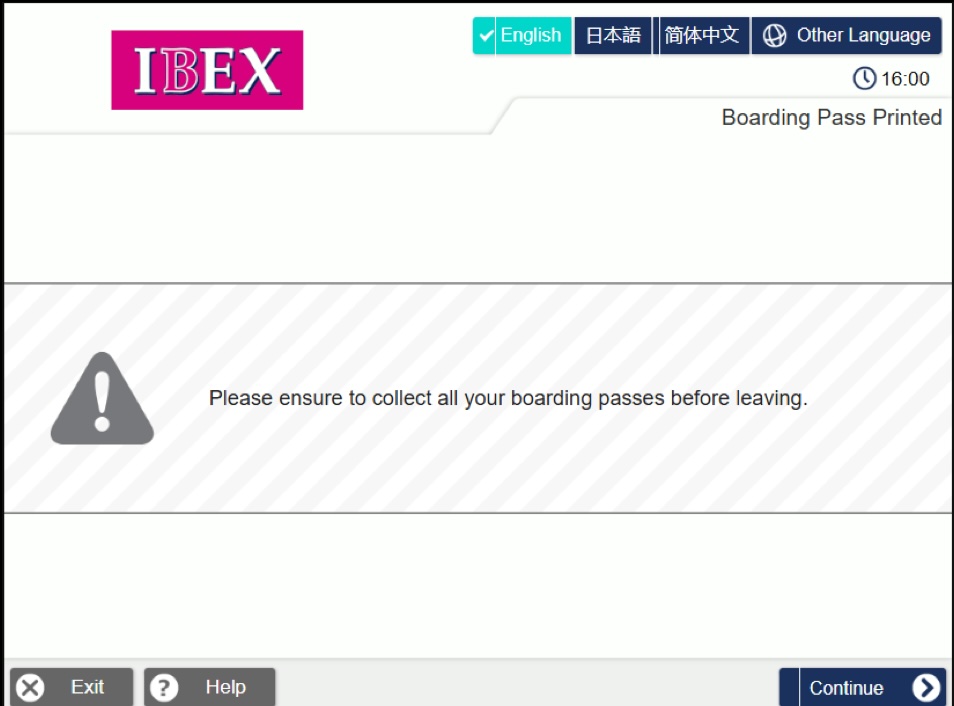
Please take your issued boarding pass and press [Continue].
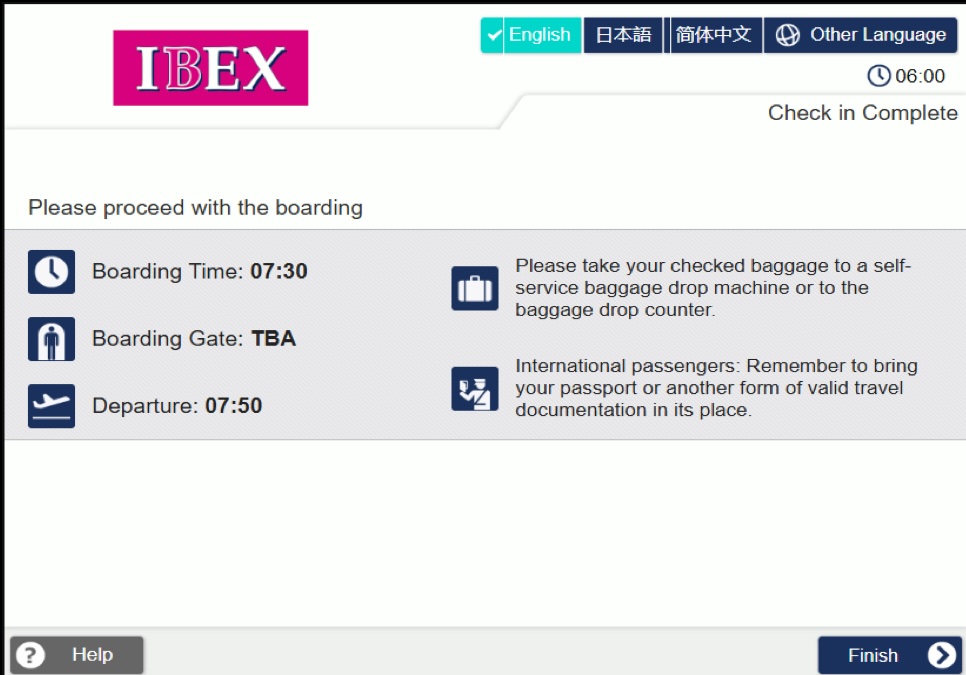
Please check your boarding gate and other flight information.
After confirming the details, press [Finish].
This completes the procedure.
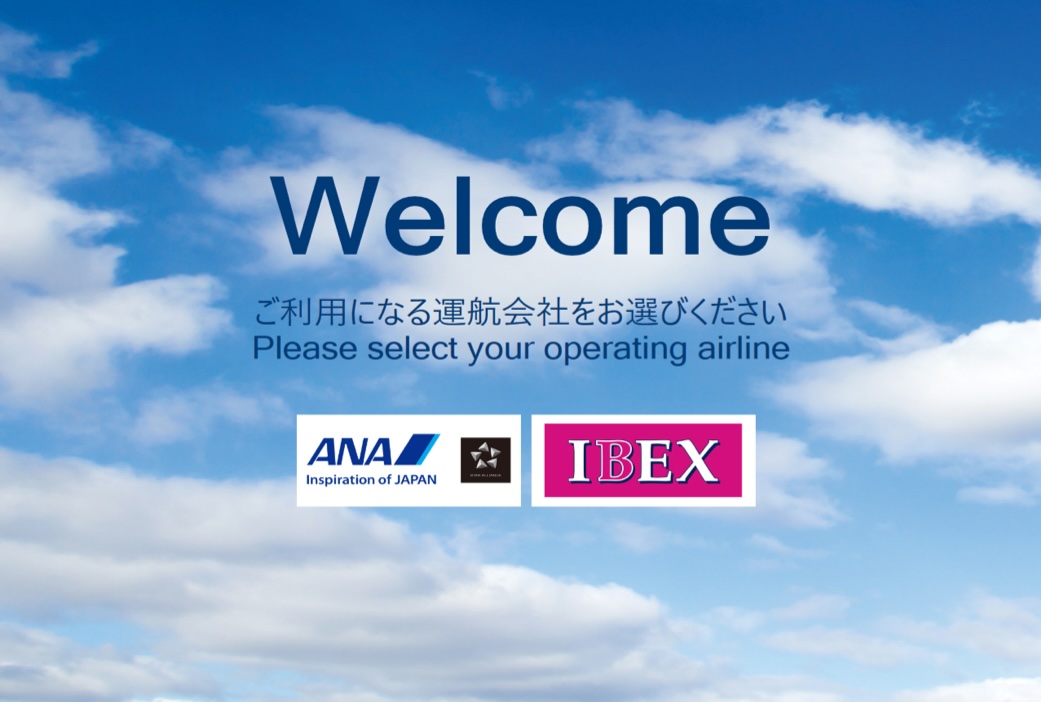
Touch the IBEX logo to begin the process.
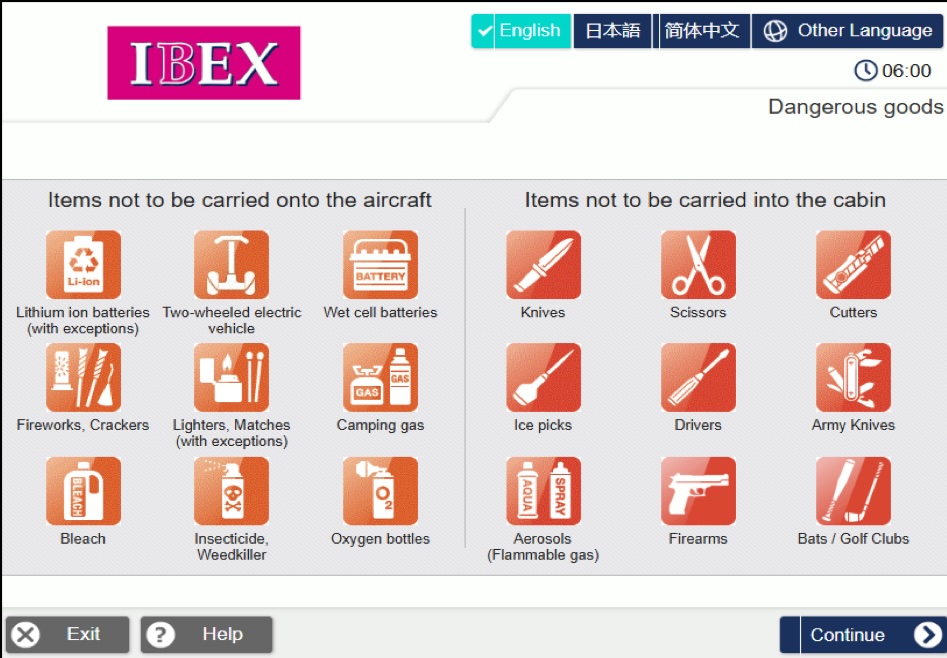
Please review the notices regarding dangerous goods and press [Continue].
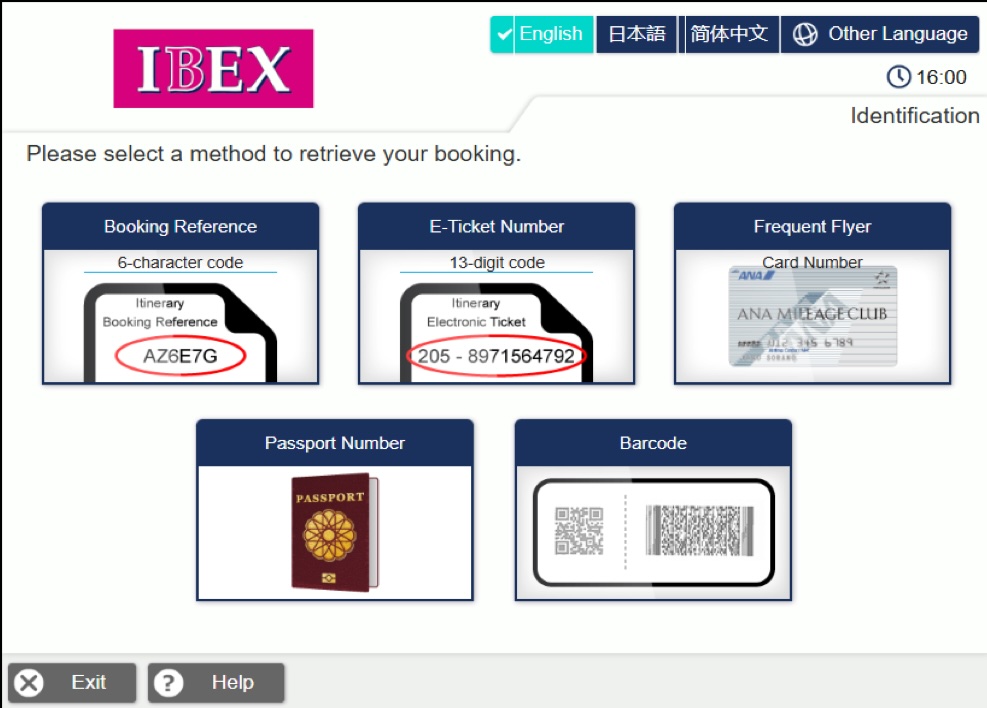
Please select your preferred reservation search method.
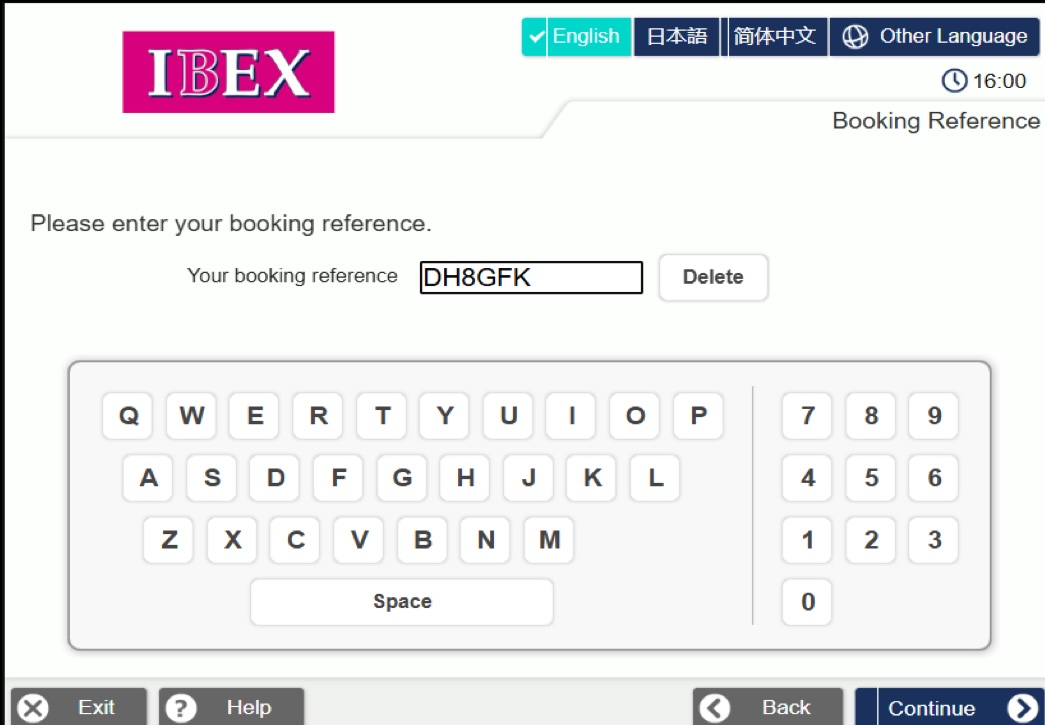
Enter your 6-character alphanumeric reservation number and press [Continue].
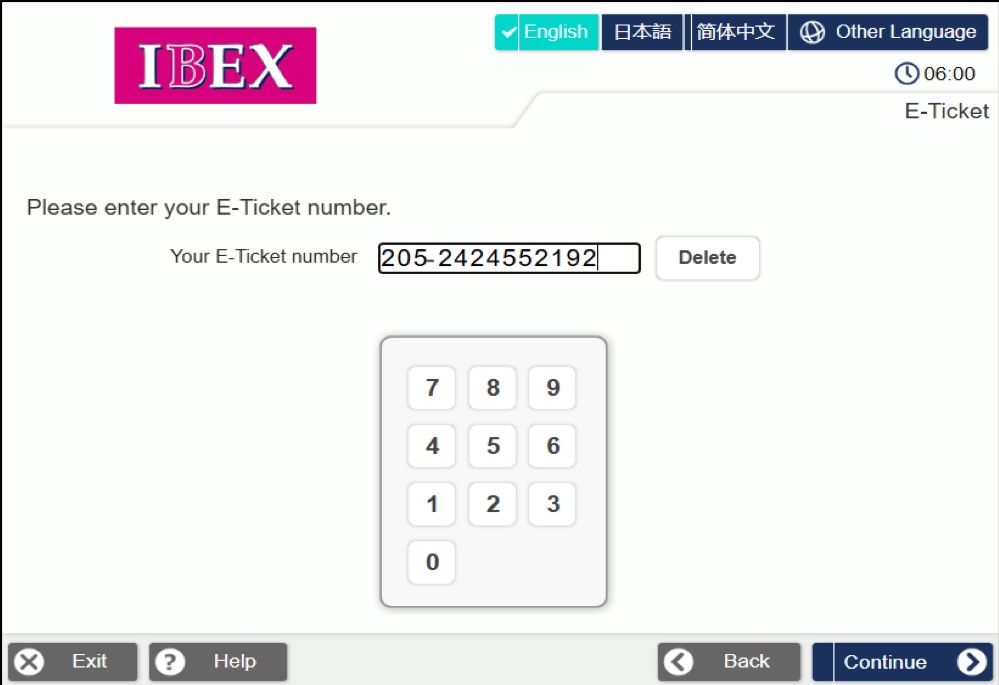
Enter your 13-digit ticket number and press [Continue].
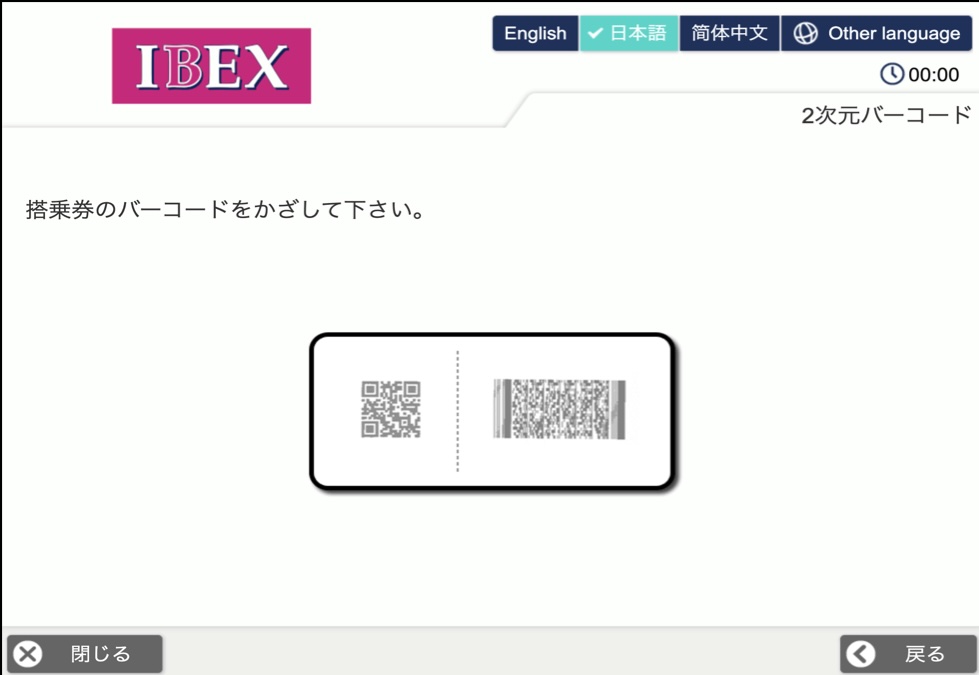
Hold the 2D barcode on your itinerary, such as your e-ticket receipt, over the scanner.
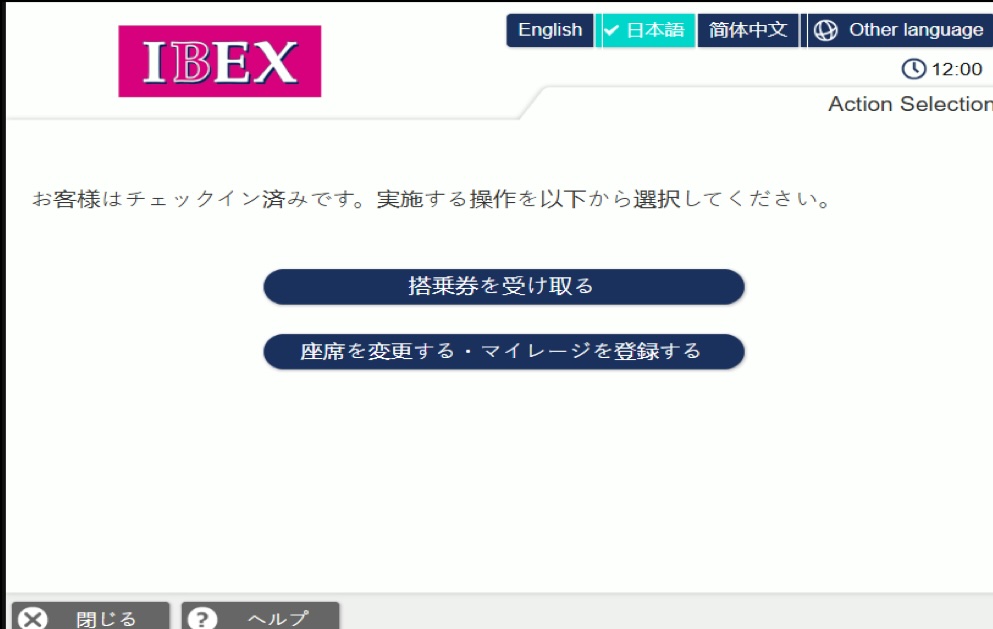
Please select the service you wish to use and follow the on-screen instructions.